Chapter4. Vectors as Points and Directions
In this Chapter we will solve the following question:
Vectors are often introduced as lists of numbers, but this definition alone does not explain why vector are so important.
In this chpater, we break this question into smaller and slove it one by one.
Q1: Is a vector just a list of numbers?
At first glance, a vector looks like a simple list:
import numpy as np

x = np.array([1,2,3])

print(x)
This suggests that a vector is just a container of values. However, this view is incomplete.
The same list of number can represent:
a data point
a position in space
a direction
So the key question is :
Q2: How can a vector represent a point?
Consider a simple vector:
x = np.array([1,2])
print(x)
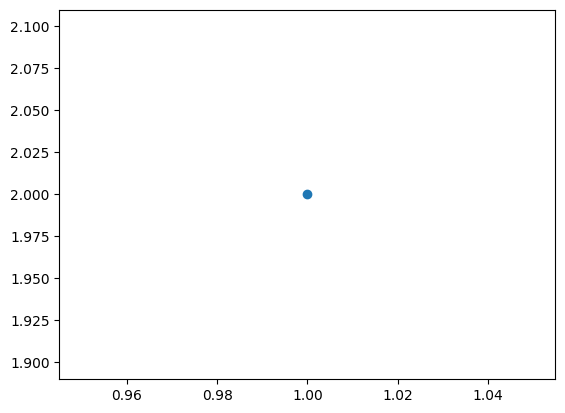
We can interperet this as a point in 2D space:
So vector represent the point (1,2).
import matplotlib.pyplot as plt
plt.scatter(x[0], x[1])
plt.show
<function matplotlib.pyplot.show(close=None, block=None)>
Hence a vector can encode location.
Q3 How can the same vector represent a direction?
Now interpret the same vector differently, instead of a point, think of it as an arrow from the origin.
from matplotlib import rc
rc('animation', html='jshtml')
import numpy as np
import matplotlib.pyplot as plt
from matplotlib.animation import FuncAnimation
from IPython.display import HTML


fig, axis = plt.subplots()

animated_plot, = axis.plot([], [], 'bo', markersize=10)


axis.set_xlim(-0.5, 1.5)
axis.set_ylim(-0.5, 2.5)

start = np.array([0, 0])
end = np.array([1, 2])

def update_data(frame):
    current = start + frame * (end - start)


    animated_plot.set_data([current[0]], [current[1]])
    return animated_plot,


animation = FuncAnimation(
    fig=fig,
    func=update_data,
    frames=np.linspace(0, 1, 50),
    interval=50,
    blit=True,
    repeat=True
)

plt.close()
HTML(animation.to_jshtml())
This arrow has :
A vector can encode movement.
Q4 How do we measure vectors?
If vectors represent positions or directions, we need ways to measure them.
(1) length(magnitude)
The length of a vector tells us how far it is from the origin.
x = np.array([3,4])
np.linalg.norm(x)
this returns:
32+42=5 from matplotlib import rc
rc('animation', html='jshtml')
import numpy as np
import matplotlib.pyplot as plt
from matplotlib.animation import FuncAnimation
from IPython.display import HTML
start = np.array([3, 1])
end = np.array([4, 1])
total_dist = np.sqrt(np.sum((end - start)**2))
fig, axis = plt.subplots()
animated_plot, = axis.plot([], [], 'bo', markersize=10, label='Moving Point')
axis.plot([start[0], end[0]], [start[1], end[1]], 'k--', alpha=0.3)
axis.set_xlim(2.5, 4.5)
axis.set_ylim(0.5, 1.5)
axis.set_aspect('equal')
axis.grid(True, linestyle=':', alpha=0.6)
def update_data(frame):
current = start + frame * (end - start)
dist_moved = np.linalg.norm(current - start)
animated_plot.set_data([current[0]], [current[1]])
axis.set_title(f"Position: ({current[0]:.2f}, {current[1]:.2f}) | Dist: {dist_moved:.2f}")
return animated_plot,
animation = FuncAnimation(
fig=fig,
func=update_data,
frames=np.linspace(0, 1, 50),
interval=50,
blit=False,
repeat=True
)
plt.close()
HTML(animation.to_jshtml())
(2) Direction(unit vector)
We can separate direction from magnitude:
x = np.array([3,4])
unit = x/np.linalg.norm(x)
print(unit)
from matplotlib import rc
rc('animation', html='jshtml')
import numpy as np
import matplotlib.pyplot as plt
from matplotlib.animation import FuncAnimation
from IPython.display import HTML


x_vec = np.array([3, 4])
magnitude = np.linalg.norm(x_vec)
unit_vec = x_vec / magnitude

fig, ax = plt.subplots(figsize=(6, 6))


ax.set_xlim(-1, 5)
ax.set_ylim(-1, 5)
ax.set_aspect('equal')
ax.grid(True, linestyle=':', alpha=0.6)


circle = plt.Circle((0, 0), 1, color='gray', fill=False, linestyle='--', alpha=0.5, label='Unit Circle (r=1)')
ax.add_artist(circle)
ax.plot(0, 0, 'ko')


ax.quiver(0, 0, x_vec[0], x_vec[1], angles='xy', scale_units='xy', scale=1, color='blue', alpha=0.2, label='Original Vector [3, 4]')

arrow = ax.quiver(0, 0, 0, 0, angles='xy', scale_units='xy', scale=1, color='red', label='Scaling to Unit Vector')

text_label = ax.text(0.5, 4.5, '', fontsize=10, bbox=dict(facecolor='white', alpha=0.7))

def update(frame):

    current_mag = magnitude - (magnitude - 1) * frame
    current_vec = unit_vec * current_mag


    arrow.set_UVC(current_vec[0], current_vec[1])


    text_label.set_text(f"Current Magnitude: {current_mag:.2f}\nDirection is constant")

    return arrow, text_label


animation = FuncAnimation(
    fig,
    update,
    frames=np.linspace(0, 1, 60),
    interval=50,
    blit=False,
    repeat=True
)

ax.legend(loc='lower right')
plt.close()
HTML(animation.to_jshtml())
Q5 How do vector interact?
Vector become powerful when we combine or compare them.
(1) Vector addition
a = np.array([1,2])
b = np.array([2,1])
Interpretation:
combine movements
chain displacements
(2) Dot product
a = np.array([1,2])
b = np.array([2,1])

print(a @ b)
this computes:
1×2+2×1=4 But the meaning is deeper:
The dot product measures alignment.
(3) Orthogonality
if
then
a = np.array([1,0])
b = np.array([0,1])
this means vectors are independent, they do not share directions.
Q6 Why does this matter for data science?
In Computer Science vector is array, and operations are computation.
In Statistics vector is observation, and compoents is variables.
In Machine Learning vector means feature representation.
# feature vector (height, weight)
x = np.array([170,64])
# model weights
w = np.array([0.3,0.7])
prediction = w @ x
print(prediction)
You should imagine:
each data point = a point in space
similar data = close points
predicition = projection onto a direction